FindTag: Android app for Bluetooth tracking and item recovery
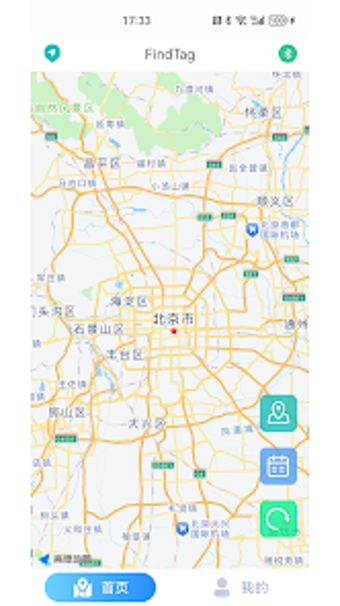
Experience FindTag by ZB_APPLICATION, an Android utility that helps locate and manage Bluetooth tracking tags. The app performs real-time BLE scanning, reports RSSI proximity, and stores up to three days of location history to assist recovery. It also shows the last known position on an interactive map, supports multiple tags, and issues anti-loss alerts. Designed for owners of Bluetooth trackers seeking an alternative to vendor-locked ecosystems and straightforward device monitoring.
What does FindTag actually do for lost-item searches?
The app pairs with Bluetooth Low Energy tags to report proximity using RSSI values and to present a last known position on a map. It maintains up to three days of movement history, which helps reconstruct recent device movement. Multi-device management lets a single phone monitor several tags simultaneously, so someone tracking keys and a bag can view each tag independently and toggle alerts per device.
Does it slow down or interfere with normal phone use?
Background scanning operates over Bluetooth, so the app depends on the phone’s BLE stack while running. The design targets continuous proximity updates and historical logging rather than intensive CPU work, and the app’s model is typical of tag managers that run in the background without forcing frequent foreground processing. Users should expect the usual battery impact associated with persistent Bluetooth operations.
Is it safe to use with personal devices and data?
FindTag uses BLE signaling and stores recent locations locally, showing the last recorded location when a tag disconnects. The app can generate anti-loss notifications when a tag disconnects from the phone, and some installations support community-based location updates where nearby phones can securely refresh a tag’s position. That behavior keeps the core operation within Bluetooth and nearby-device signals rather than remote tracking alone.
Do non-technical users need advanced knowledge to operate it?
Setup is centred on scanning and pairing, which is a guided flow: scan for nearby tags, pair, then enable alerts and view the map. The interface groups multiple tags and their histories, which helps casual users manage several items without using advanced settings. Technical users can interpret RSSI values to fine-tune searches, while less technical owners can rely on the map and simple disconnect alerts.
FindTag suits everyday owners but depends on local connectivity
FindTag is a practical choice for smartphone owners who use Bluetooth tags and need short-term location history and proximity guidance. Its reliance on BLE means effectiveness decreases with limited Bluetooth range or sparse nearby devices capable of updating locations. For users who accept that trade-off, the app is a functional tool that matches the operational constraints of Bluetooth-based tracking.